UI Lag vs Hardware Bottleneck: How AI Tools Help Identify Performance Issues
Last updated:
May 07, 2026
You open your game or website and something feels wrong. The screen does not respond quickly. Animations feel slow. Clicking a button takes longer than it should. At this point, most people think their computer is too weak. They blame the CPU or GPU and start thinking about upgrades.
But here is the truth. Not every lag comes from hardware. Sometimes the real problem lives inside the interface itself. The design, code, or structure of the user interface can slow things down even on a powerful system. This creates confusion because both issues feel similar.
Gamers, developers, and even normal users often struggle to tell the difference between UI lag and a hardware bottleneck. This leads to wrong decisions, wasted money, and frustration. Today, things have started to change. Developers now use AI Tools for UI Analysis to detect deeper issues that normal testing often misses. When you combine this with a bottleneck calculator, you can clearly understand where the real problem exists.
What is UI Lag
UI lag happens when the interface of an application responds slowly to user actions. The system may still have enough power, but the screen does not react smoothly.
You might notice this when you click a button and nothing happens for a moment. Sometimes scrolling feels heavy. Animations do not play smoothly. Input delay becomes noticeable, especially in games or interactive websites.
UI lag does not mean your hardware is weak. It usually means the frontend or interface has problems. There are several reasons why UI lag occurs. One common cause is poor coding. If the developer writes inefficient JavaScript or uses too many unnecessary functions, the browser struggles to process everything. Another reason is a heavy DOM. When a webpage contains too many elements, the browser needs more time to render everything. This slows down interactions. Unoptimized CSS can also cause delays. Complex animations or large style files increase the load on the system. Sometimes developers load too many scripts or large files at once. This blocks the interface and creates delays.
UI lag mostly affects how things feel rather than how powerful the system actually is. A strong computer can still feel slow if the interface does not perform well.
What is a Hardware Bottleneck
A hardware bottleneck happens when one part of your system limits the performance of the whole system.
For example, if you have a powerful graphics card but a weak processor, the CPU cannot keep up. This reduces overall performance. The GPU waits for the CPU, and you do not get the full power of your system.
Another example involves low RAM. Even if your CPU and GPU are strong, limited memory can slow everything down.
Hardware bottlenecks usually affect the entire system. You may see low frame rates in games. Applications may take longer to open. Multitasking becomes difficult.
Unlike UI lag, this problem does not depend on coding or design. It depends on your physical components. This is where a bottleneck calculator becomes useful. It helps you check whether your CPU, GPU, and other parts work well together. If there is an imbalance, the calculator shows it clearly. Understanding this difference helps you avoid unnecessary upgrades.
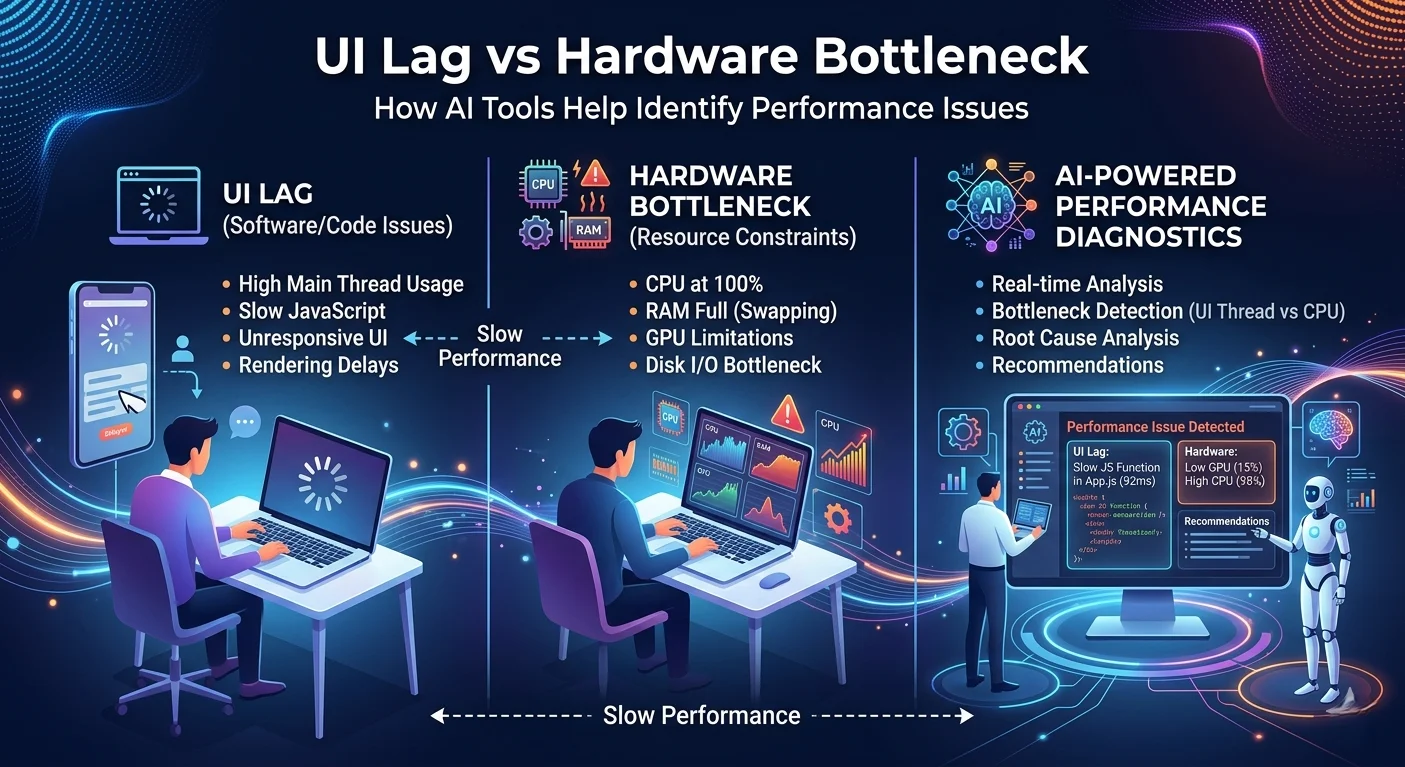
UI Lag vs Hardware Bottleneck
Many people confuse these two problems because they both cause lag. However, they behave differently.
UI lag mostly affects specific areas. You may notice slow buttons, delayed animations, or lag in menus. The rest of the system may work fine.
Hardware bottlenecks affect everything. Games run slower. Software feels heavy. The entire system performance drops.
UI lag comes from software issues. Hardware bottlenecks come from physical limitations.
UI lag can often be fixed without spending money. You can optimize code, reduce load, and improve design.
Hardware bottlenecks usually require upgrades or better component balance.
A simple way to understand this is to observe your system carefully. If only one app or interface feels slow, the issue likely comes from UI. If everything feels slow, hardware may be the problem.
Why People Misdiagnose Performance Issues
Most users do not have deep technical knowledge. When they see lag, they assume their system is weak. This leads to a common mistake. People upgrade hardware without checking the real cause.
One reason for this confusion is that both problems show similar symptoms. Lag, delay, and stuttering can come from either side.
Another reason is marketing. Hardware companies promote upgrades as the solution to every problem. This creates the belief that better hardware always fixes performance issues.
Developers also sometimes ignore optimization. They focus more on features and design instead of performance. This creates heavy interfaces that slow down even strong systems.
Without proper tools, it becomes hard to find the real cause. This is why many users waste time and money on the wrong solution.
How AI is Changing Performance Analysis
Artificial intelligence has started to play a big role in performance analysis. It helps detect patterns and problems that humans often miss.
AI can study how an interface behaves in real time. It can track delays, rendering issues, and inefficient code.
Instead of manually checking everything, developers now rely on AI to analyze performance quickly and accurately.
AI tools can scan large amounts of data and find hidden issues. They can show where delays occur and why they happen.
This saves time and improves accuracy. Developers can fix problems faster and create smoother experiences.
AI does not replace human understanding, but it makes the process much easier.
How AI Tools Help Detect UI Issues
AI tools focus on the behavior of the interface. They look at how elements load, move, and respond.
One major benefit is detecting rendering delays. AI can identify which part of the interface slows down the process.
It can also find unused CSS or JavaScript. Removing unnecessary code improves performance.
Another important feature is layout analysis. AI checks how elements shift and load on the screen. This helps reduce visual instability.
AI tools also track user interaction. They measure how quickly the interface responds to clicks and inputs.
These insights help developers understand problems that are not visible at first glance. Instead of guessing, developers can rely on real data. This leads to better optimization and smoother performance.
Combining AI Tools with Bottleneck Calculators
The best approach involves using both methods together.
First, check your hardware using a bottleneck calculator. This tells you if your system has any imbalance.
If the calculator shows no issue, the problem likely comes from the interface.
Next, use AI tools to analyze UI performance. This helps you find coding or design issues.
This two step process removes confusion. You do not waste time guessing or upgrading blindly. It also builds confidence. You know exactly where the problem exists and how to fix it.
Practical Example
Imagine a user who owns a strong gaming PC. The GPU and CPU work well together. A bottleneck calculator shows no issue.
However, the user still experiences lag while using a website or application. At first, the user thinks about upgrading hardware. But the real problem lies in the interface.
The website loads too many scripts. The layout contains heavy elements. Animations are not optimized. When analyzed with AI tools, these issues become clear.
After fixing the frontend, the lag disappears. The system performs smoothly without any hardware upgrade. This example shows why proper analysis matters.
Tips to Fix UI Lag
Start by reducing unnecessary code. Remove unused scripts and styles.
Optimize images and media files. Large files slow down loading.
Use efficient coding practices. Avoid complex functions that slow down execution.
Limit the number of elements on the page. A simple design improves performance.
Test your interface regularly. Identify issues early and fix them before they grow.
Focus on user experience. A smooth interface always performs better.
Tips to Fix Hardware Bottleneck
Balance your system components. Make sure your CPU and GPU match each other.
Upgrade only when necessary. Do not rely on assumptions.
Increase RAM if needed. This helps with multitasking and heavy applications.
Keep drivers updated. This ensures better performance.
Monitor system usage. Check which component limits performance.
Conclusion
Lag does not always mean your system is weak. Sometimes the problem lies in the interface itself.
Understanding the difference between UI lag and hardware bottleneck helps you make better decisions.
Instead of guessing, use proper tools. Check your hardware first. Then analyze your interface.
This approach saves money, time, and effort.
As technology improves, smarter tools continue to make this process easier. Developers and users now have better ways to identify and fix performance issues.
The key is simple. Do not assume. Analyze, understand, and then take action.
When you follow this method, you will always find the real cause of lag and fix it the right way.
Frequently Asked Questions
What is the difference between UI lag and system lag?+
UI lag affects interface response like clicks and animations, while system lag slows down the entire computer.
How do I know if my PC has a bottleneck?+
Use a bottleneck calculator to check if your CPU and GPU are balanced.
Can UI lag happen on a high-end PC?+
Yes, poor frontend design or heavy code can cause UI lag even on powerful systems.
Does upgrading hardware fix UI lag?+
No, UI lag usually comes from software issues, not hardware limitations.
What causes UI lag in websites or apps?+
Heavy scripts, unoptimized code, and too many elements can slow down the interface.